Twenty seconds, three good reasons.
Everything cold, in one clear list.
Track what's in every freezer and fridge, see what to use first, and keep the whole household on the same page.
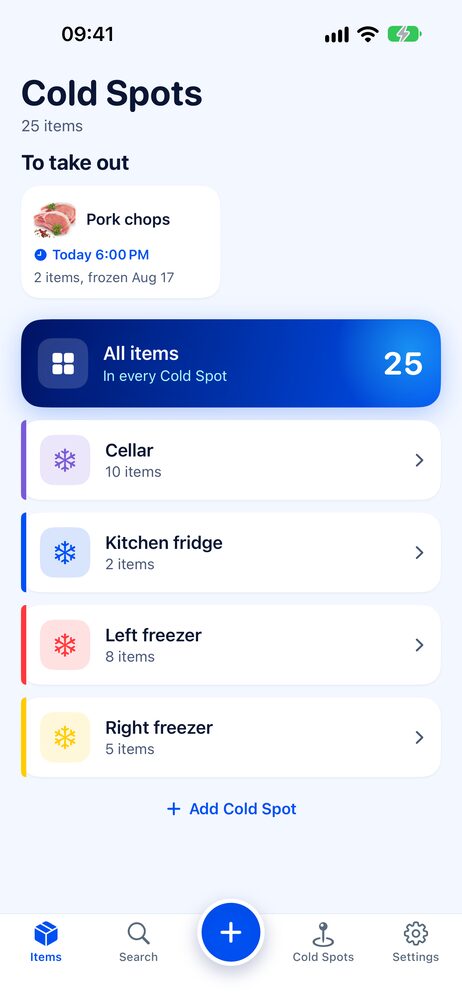
Cold Spots
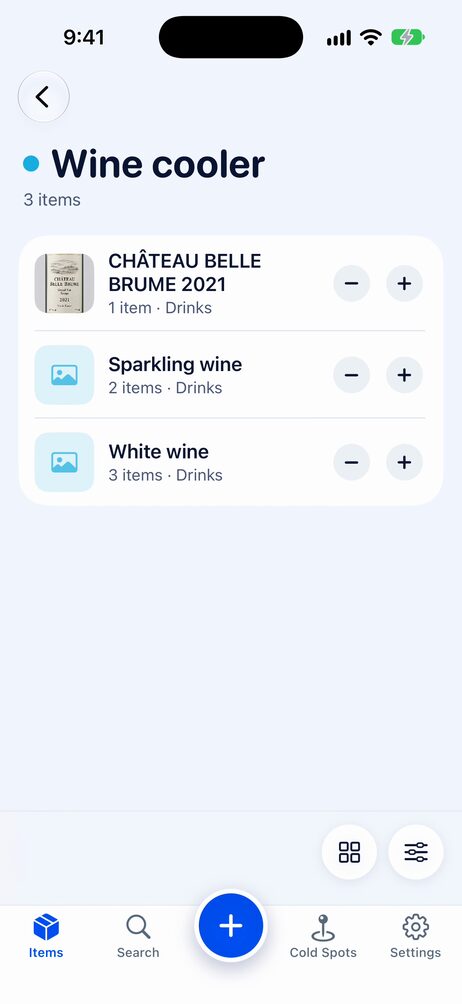
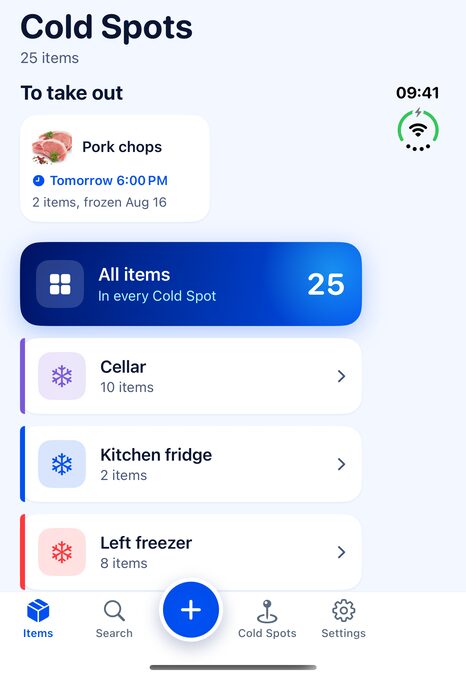
Freezers, fridges, the chest in the garage or the one at the cabin. The app opens on your Cold Spots; tap one to see what's inside.
Barcode scanning
Scan a package and the product name fills in from Open Food Facts.
Photos you can zoom
Snap a photo of every item and open it full screen to read the label. Categories keep things sorted.
Expiry at a glance
Color-coded badges show what is fine and what to use soon.
Expiry reminders
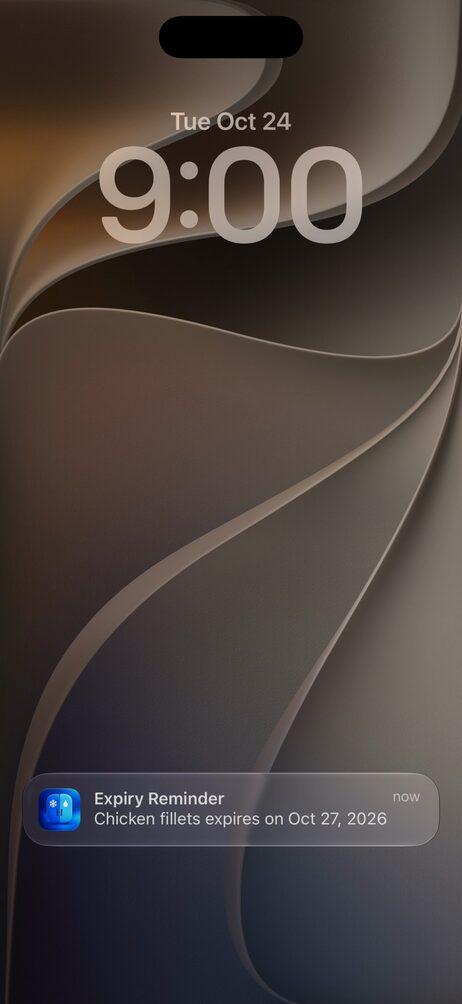
Get a heads-up before items expire, plus an optional summary every few days.
Packages
One item, several packages, each with its own count, frozen date and expiry. Taking one always uses the oldest first.
Remind me to take out
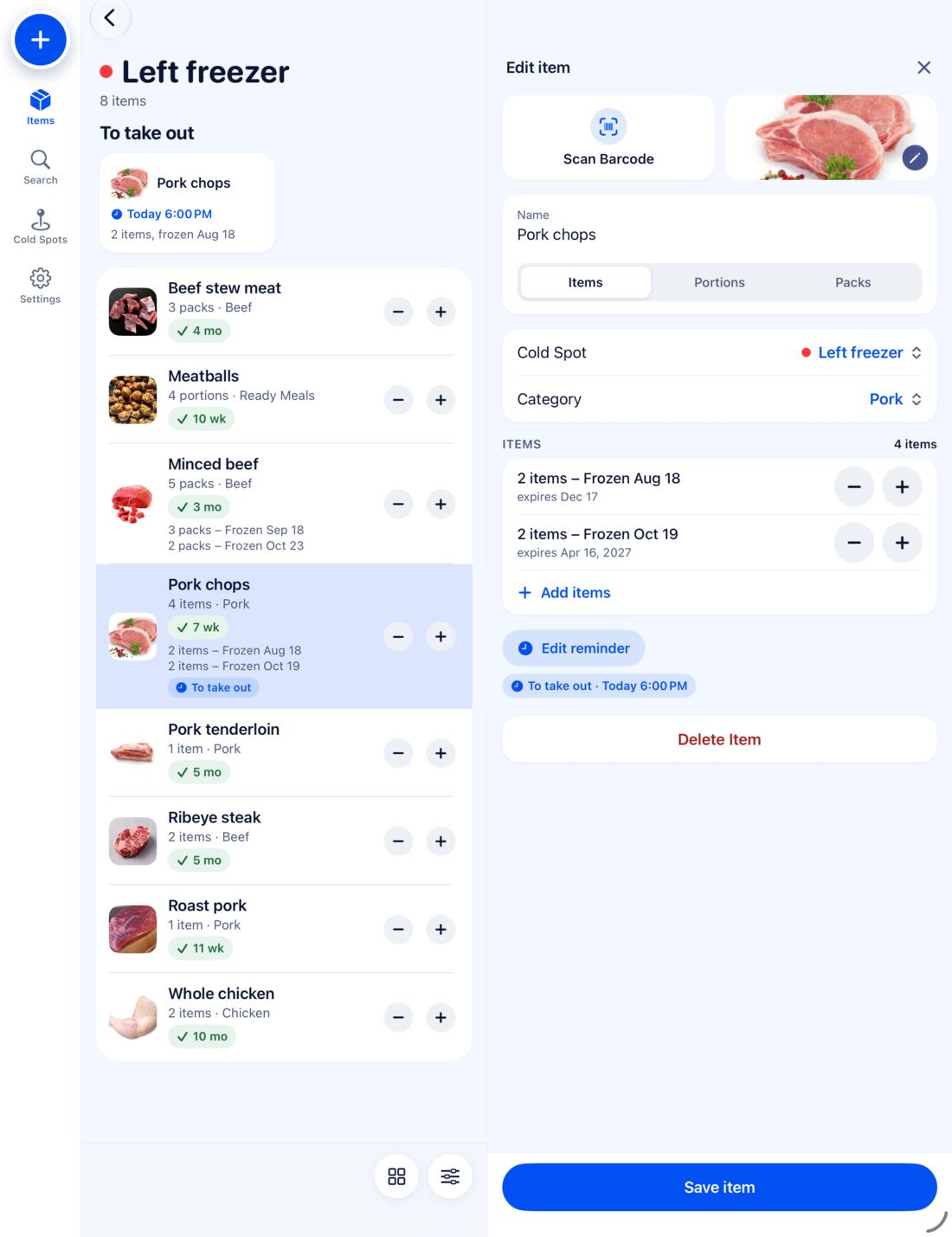
Thaw dinner in time. Pick tonight, tomorrow morning or your own time, and choose who in the household gets the reminder.
Share with your household
Invite family with a link or QR code and see everyone by name. Changes sync through iCloud on iPhone and iPad.
Activity log
See what was added, changed and used, and by whom in a shared inventory.
Backup and restore
Export everything, photos included, to a single file you keep.
Scan label
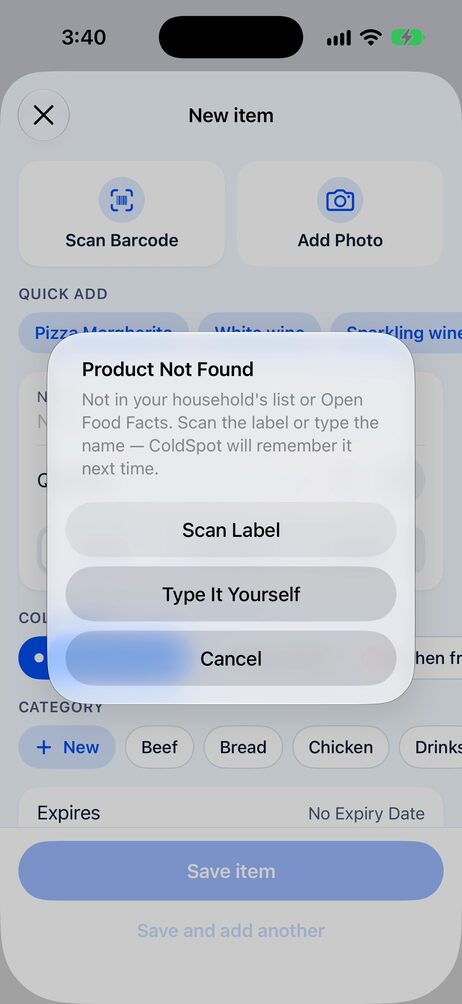
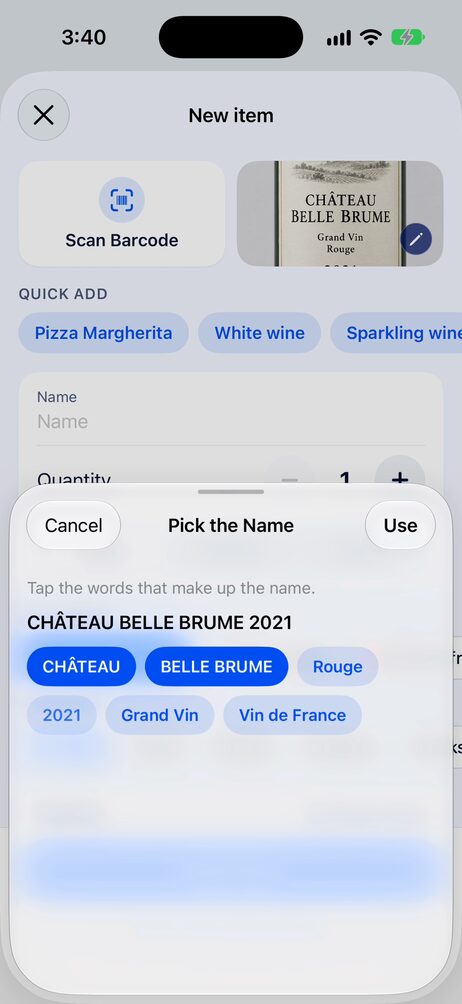
Barcode not found? Photograph the label and pick the name from its words, read right on your phone.
Quick − and +
Take one out or add one straight from the list.
Dark mode
Easy on the eyes in a dark pantry or late at night.
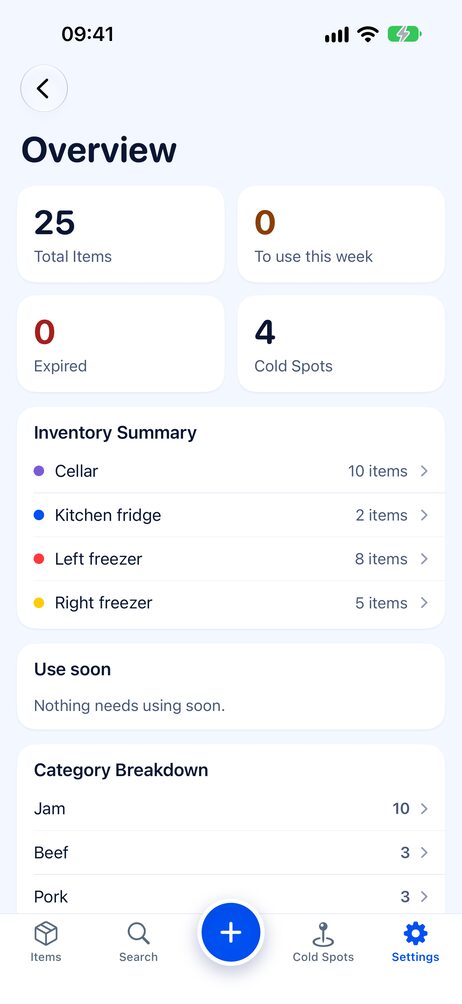
See what to use this week.
The overview counts every item across your Cold Spots, flags what expires soon and breaks it down by category. Open it from Settings whenever you plan the week's meals.
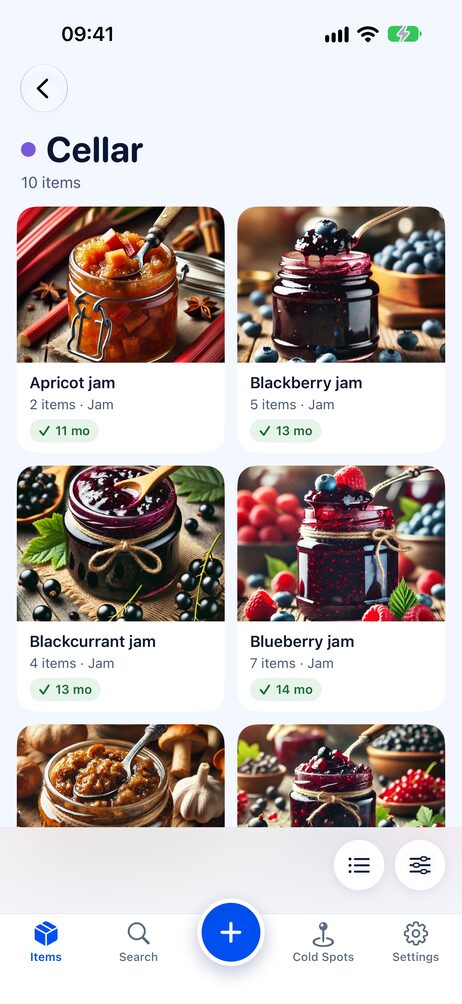
See what's inside before you open the lid.
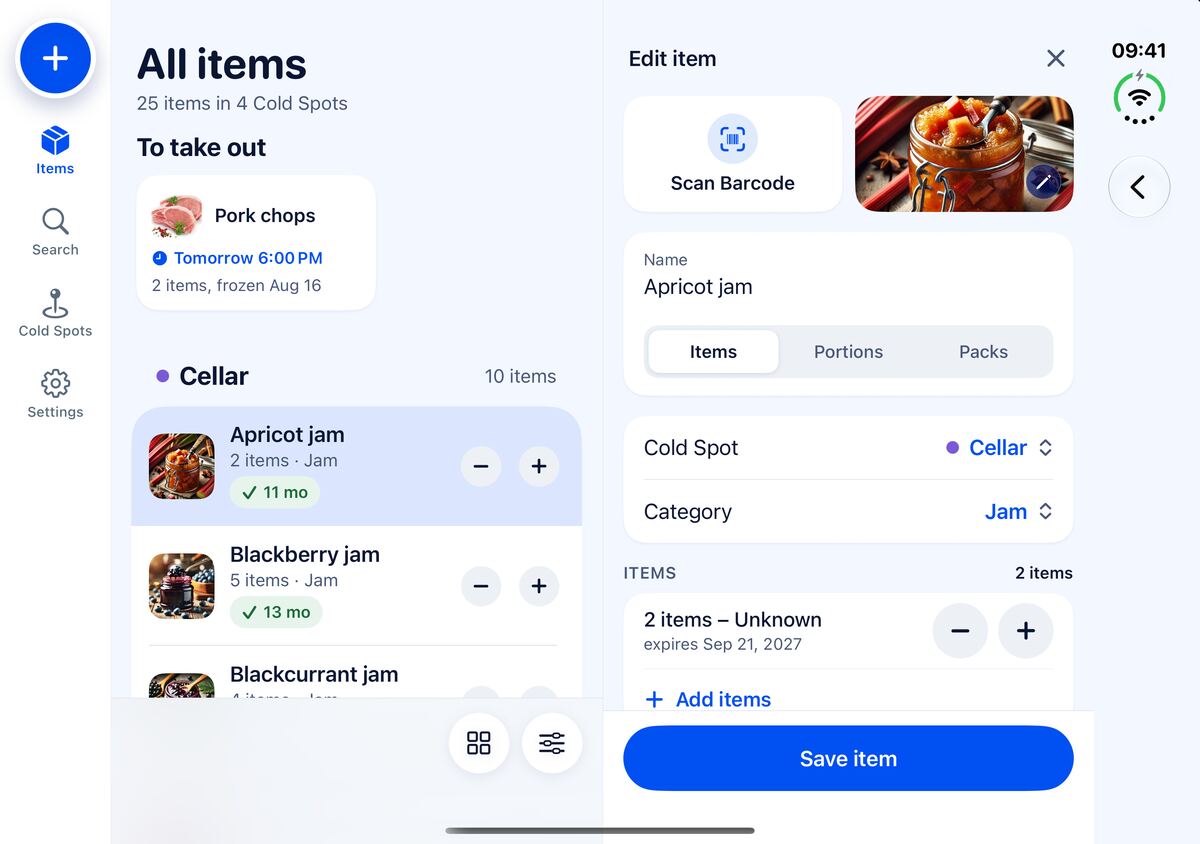
Switch any Cold Spot to the grid and every item shows its photo, count and expiry. Perfect for the jam shelf in the cellar or a freezer full of look-alike bags.
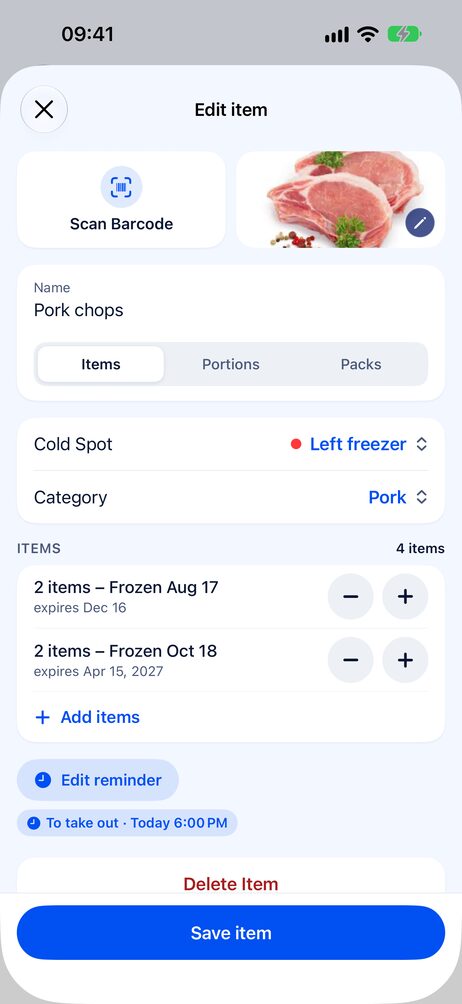
In the freezer in seconds.
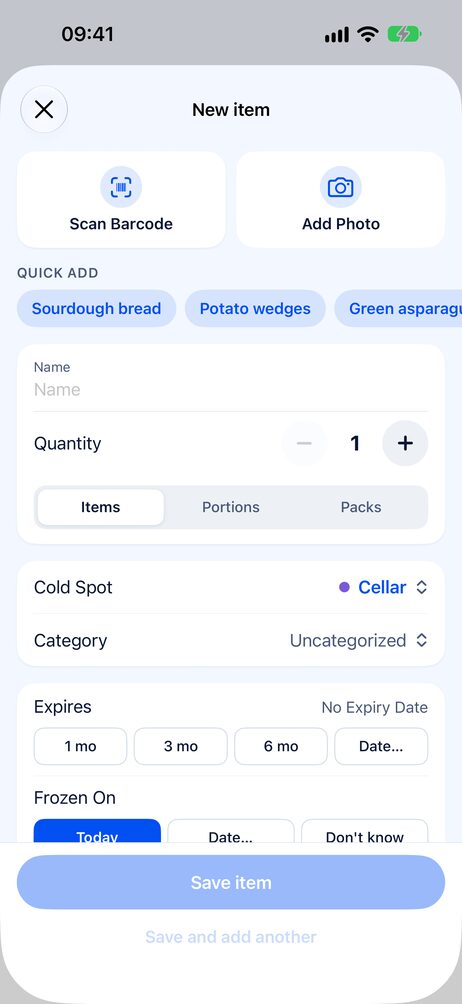
Take a photo, scan the barcode or tap a quick-add suggestion. Pick a Cold Spot, answer “Frozen on” with Today, a date or Don’t know, and set the expiry with one tap. Got a full freezer already? Add existing items skips the question so you can enter everything fast.
- 1Scan or snap a photo
- 2Choose Cold Spot and category
- 3Frozen today, and 1, 3 or 6 months to expiry
Scan it. Even the wine.
Barcode not found? Photograph the label and ColdSpot reads it right on your phone. Tap the words that make up the name, or let Apple Intelligence name it for you. Once you've saved it, the barcode is remembered, and with Premium every phone in the household fills it in on the next scan.
- Label read on your phone, nothing uploaded
- Category and Cold Spot suggested from what you already have
- Wine, beer and juice usually land in Drinks
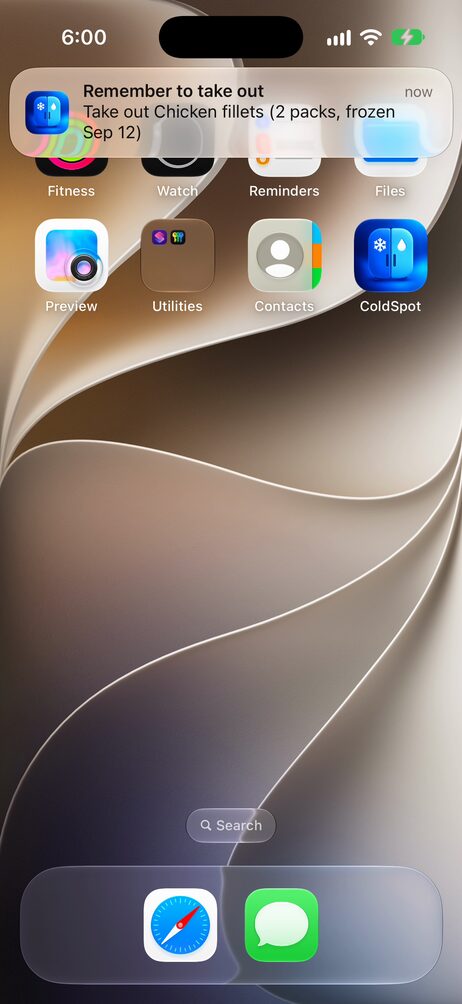
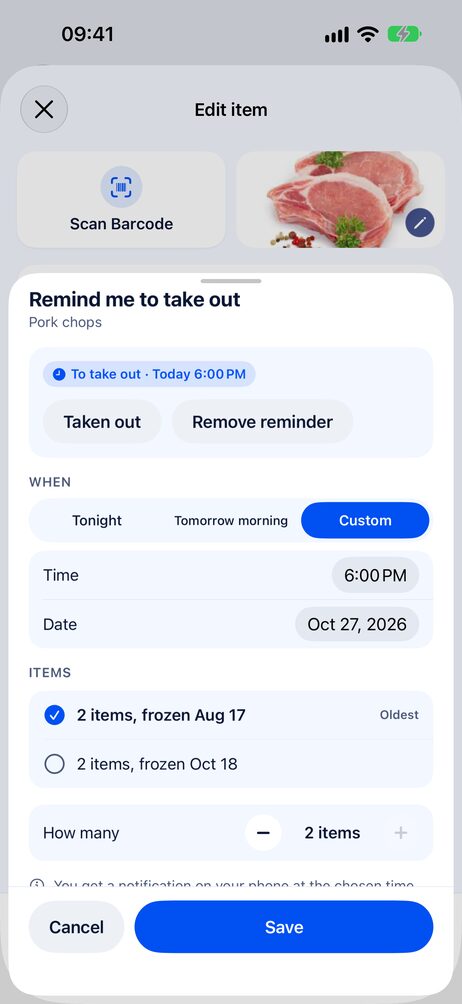
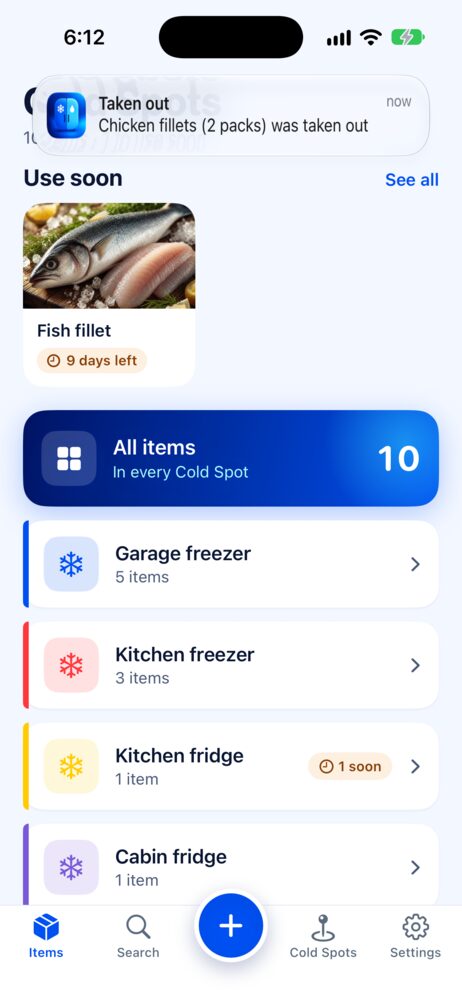
Dinner, thawed in time.
Set a reminder on any item for tonight, tomorrow morning or a time you choose, and pick which package. In a shared household, remind just yourself or everyone.
- Tap “Taken out” right on the notification
- Snooze for an hour or until tomorrow
- A “To take out” strip at the top keeps it in sight
- Choose how many: take out two of five portions
Made for every screen you own.
On iPad and the unfolded iPhone Duo, the tabs move to a sidebar and the item opens right beside the list. Fold it shut and you're back to the familiar phone layout, exactly where you left off. Keyboard shortcuts included.
Free to start.
Upgrade to Premium when you need more. Try it free for a month, or buy it once with Lifetime.
- Up to 15 items
- 1 Cold Spot
- Barcode scanning and photos
- Packages and frozen dates
- Expiry alerts for the 3 items that expire first
- Unlimited items and Cold Spots
- Expiry alerts for every item, plus the summary and take-out reminders
- Share with your household by QR code or link. Everyone who joins gets Premium too
- Activity log
- Backup and restore
- Apple Family Sharing: up to 6 family members, no extra cost
- Household barcode memory: scan once, every phone knows it
Premium is an auto-renewable subscription, yearly or monthly, or a one-time Lifetime purchase with no subscription. New subscribers get the first month of the yearly plan free. Prices are shown in your local currency in the App Store. Payment is charged to your Apple Account. A subscription renews automatically unless you cancel it at least 24 hours before the end of the period; manage or cancel it in Settings › Apple Account › Subscriptions. Terms of Use · Privacy Policy